
There are numerous cloud platforms that allow you to host models, train models and deliver ML at scale, but what happens if you self host? What if you work within a constrained environment where moving data into cloud managed assets isn’t viable. Or you have a requirement to train on specific exotic hardware. Or, god forbid in 2026, you run all your hardware on prem?!
Some organizations will spin up VMs, run scripts, run python code and deploy things either directly onto a VM or via docker container with mounted data volumes or similar. But some may have a platform like Kubernetes deployed which allows you to scale your compute up and down depending on what you’re running at a given point in time. So, if you want to run Machine Learning jobs on your Kubernetes cluster what do you do?
The Cloud Native Computing Foundation has stewarded Kubeflow for quite a few years now. The CNCF for those of you who don’t know focus on helping manage open source cloud native software projects, be it Kubernetes itself, completely separate projects like Prometheus or projects that deploy on top of projects like this one with Kubeflow that deploys into Kubernetes.
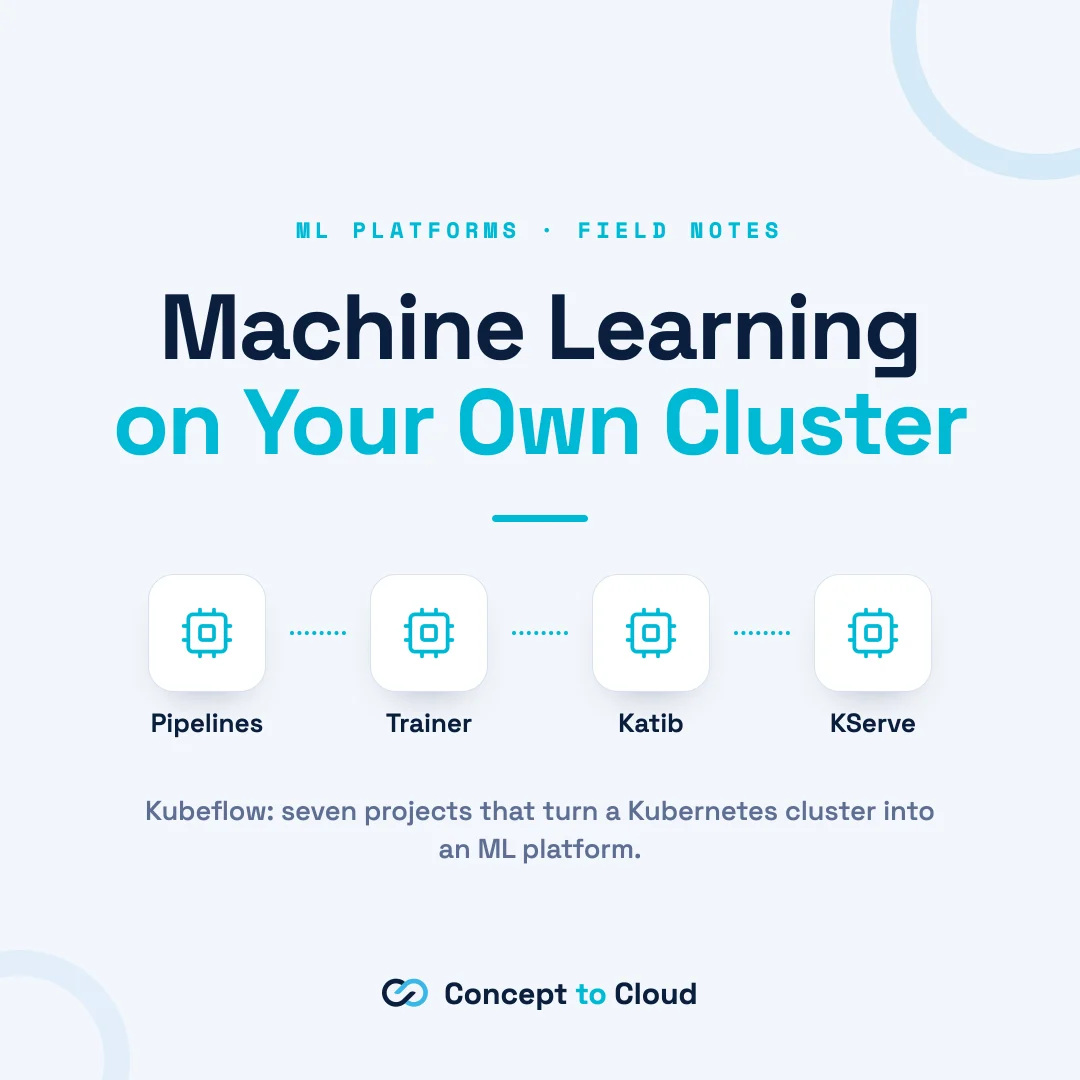
So how does Kubeflow work? Kubeflow itself is a selection of 7 different projects that come together to create 1 platform. You don’t have to use all the platforms you can just use, and probably should, use individual components instead of trying to leverage capabilities you don’t need just because they were supplied. Anyway! The components are:
- Pipelines (KFP): A DAG (Directed Acyclic Graph) orchestration layer for managing ML workflows.
- Notebooks: Jupyter-style development workspaces hosted directly on the cluster.
- Trainer: Supports distributed training for various frameworks, including PyTorch, XGBoost, JAX, and Flux.
- Katib: A tool for hyperparameter tuning and AutoML.
- KServe: Manages model serving and is now a standalone CNCF project.
- Spark Operator: Enables Spark execution on Kubernetes for data processing tasks.
- Kubeflow Hub: Functions as a model registry and catalogue.
- Feast / Kueue: Handles feature storage and job queuing.
- Central Dashboard: Provides a centralized user interface for the platform.
The cool thing about Kubeflow is that the majority of projects deploy operators as the interface for the different services. So rather than trying to crowbar aspects of your project into some random docker container what you’ve actually done is deploy a number of operators that understand the context you’re doing to pass them just like when you deploy a docker container using a Kubernetes deployment context or whatever.
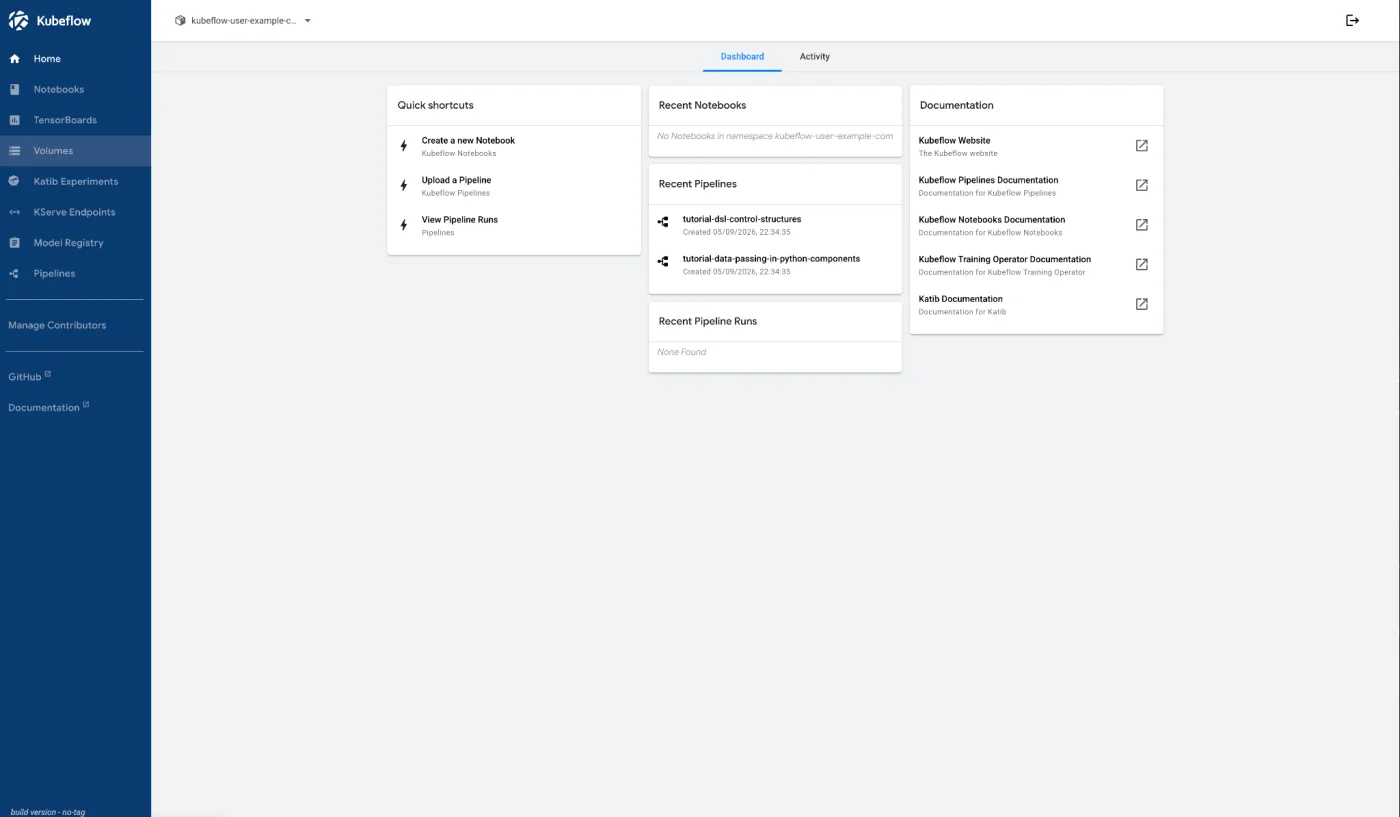
Pipelines
So most people will start with Pipelines, these are DAGs written usually using the Python SDK, which is then compiled and deployed and wired up as required inside the KFP execution service when you upload the pipeline yaml.
from kfp import dsl

@dsl.pipeline(
    name="simple-pipeline",
    description="A basic Kubeflow pipeline example"
)
def simple_pipeline():
    # Define your pipeline tasks here
    print("Pipeline task executed")
With this deployed you can then trigger the execution in a number of different ways, either in the UI, on a schedule or from an external application or event.
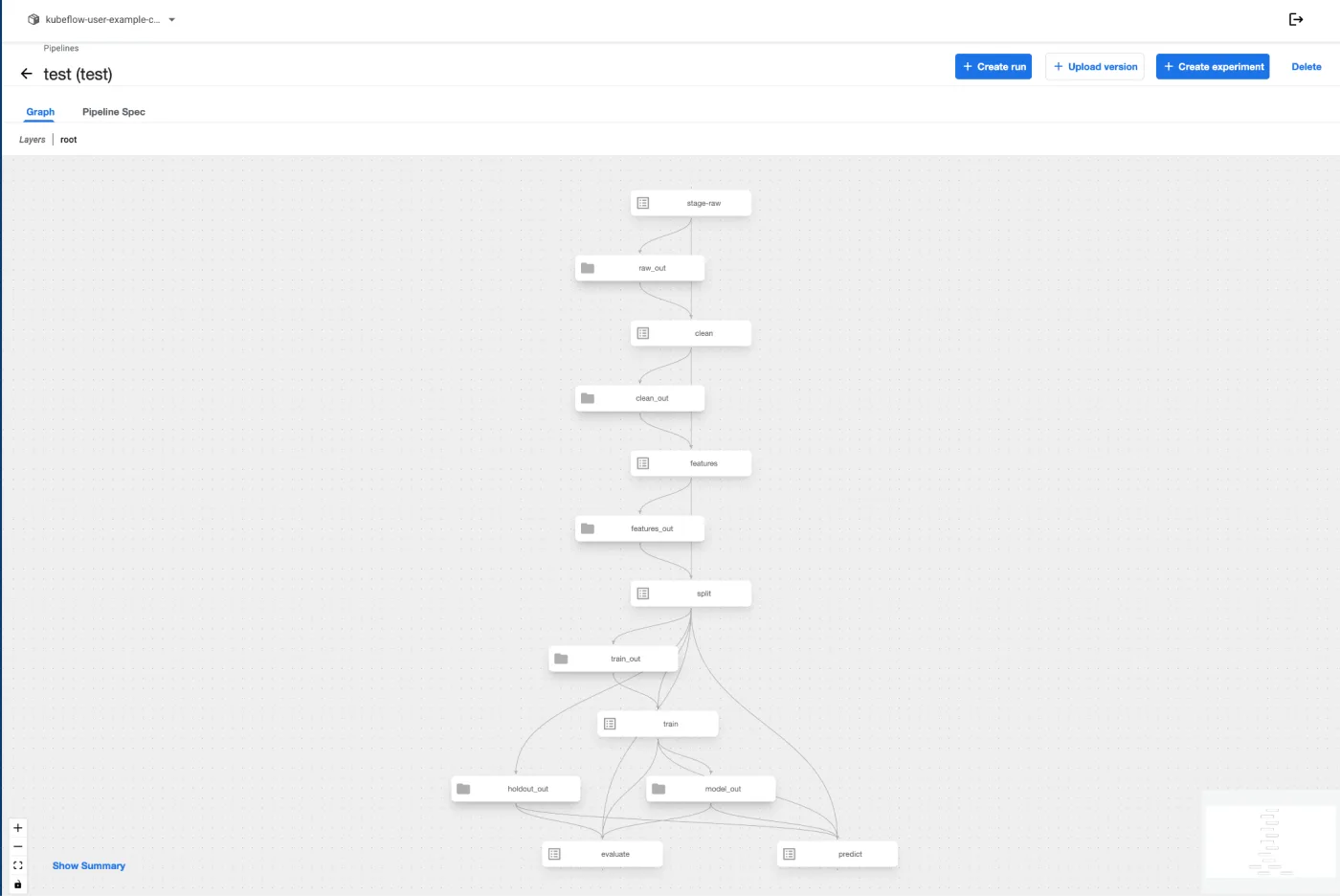
Pipelines are part of experiments and so get assigned to one. From there they can output tagged artifacts and you can view the full lineage and history as the run for that experiment is then executed.
Notebooks
Not every notebook was created equal and people have their preferences. So when you create notebooks you can select the one you’d rather run. Jupyter notebooks being the common platform, but also VS Code and RStudio for folks who are more comfortable in different notebook environments.
You also select the amount of compute etc you require and then launch the thing.
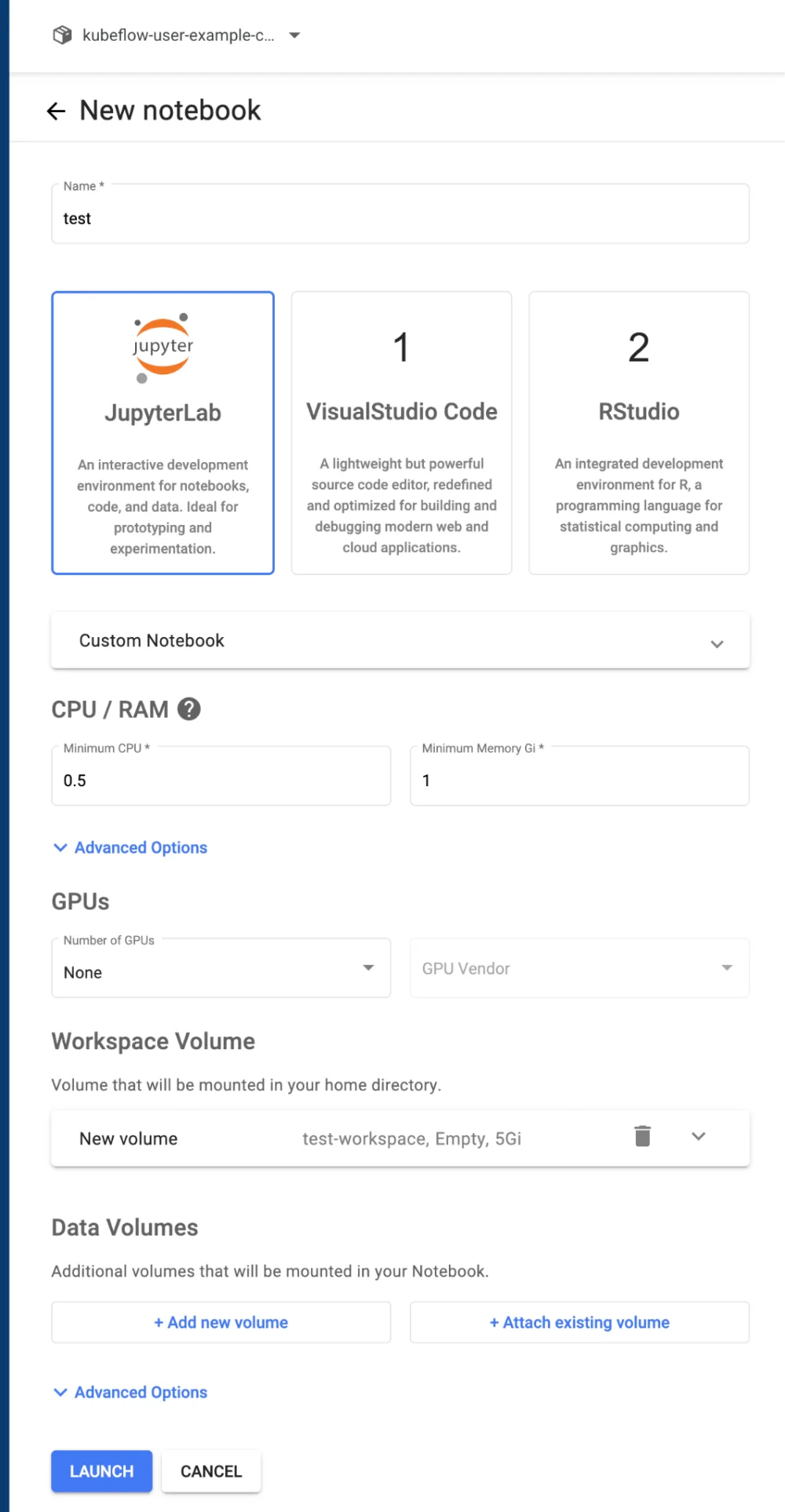
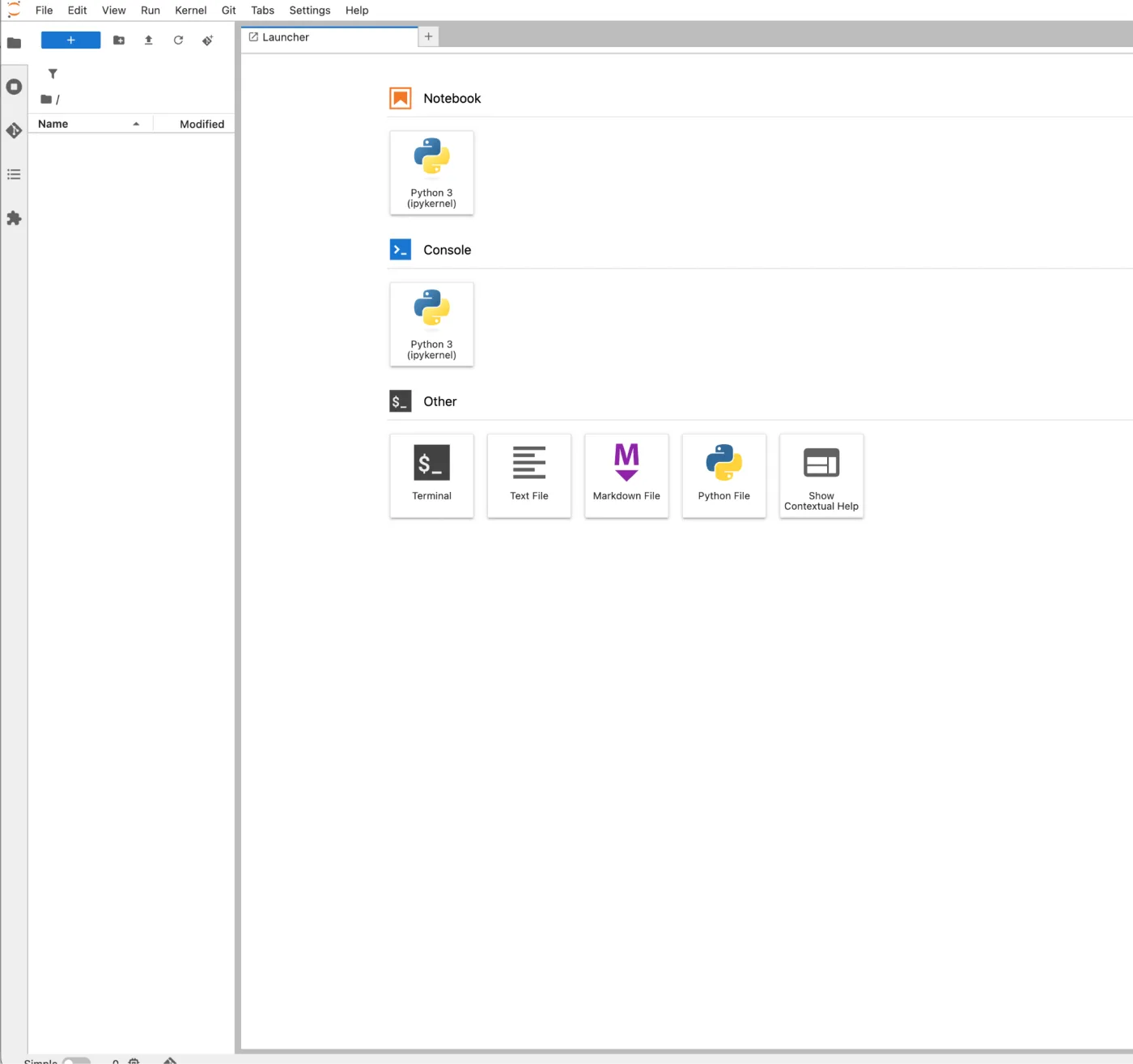
From here you can then connect through to your favoured notebook and start hacking away connecting to other services in your Kubeflow environment or elsewhere on your Kubernetes cluster building more pipelines, flows, experiments and whatever else takes your fancy, this is after all, a fully functioning Python Notebook environment for doing cool data science in!
Training models
Now I remember back in the day at NASA when we were working on a DARPA project evaluating AutoML and damn it was painfully slow. But these days you have Katib, which is essentially the tool you leverage within Kubeflow for hyperparameter tuning and AutoML. If you’ve ever spent hours manually tweaking learning rates, batch sizes, or network architecture parameters only to see marginal improvements, Katib is here to automate that whole tedious process for you. Just like the rest of the Kubeflow components handle the heavy lifting of infrastructure and orchestration, Katib abstracts away the trial-and-error grind of model optimization.
Instead of manually running experiment after experiment, you simply define your search space, select an optimization algorithm, be it Bayesian optimization or random search, and let Katib manage the execution. It spins up training jobs across your Kubernetes cluster, evaluates the results, and zeroes in on the best parameter combinations, saving you tons of time and compute resources in the process. Who doesn’t love that type of automation, eh?
Spark on Kubernetes
Now I remember the first time I attempted to install Spark on Kubernetes, damn it was a mess. I’ve barely touched it since, but of course these days Databricks, Microsoft Fabric, Snowflake etc all drive you in that direction. So self hosted Spark is obviously a necessity when it comes to running these types of scalable workloads.
So Spark out the of box doesn’t have a UI but of course what you can do is leverage the notebooks, just like you would in Databricks to build out your Spark pipelines, then have it deploy the job into your Spark cluster using CRDs or Annotations in your Spark application.
Of course if you host your own Spark containers this means you can go to town on the tuning, the labelling, the underlying hardware to ensure you get the performance you really need from your pipeline. I’ve spoken to a number of customers over the years who want to use Databricks but can’t deploy it because it being tied to cloud providers, this gives you a great alternative to that setup.
KServe
So KServe used to be called KFServing and was a core part of the Kubeflow system. This has spun off into a project of its own and now stands alone and is called KServe. This was done for a number of reasons, but the most obvious one is the different types of workloads it is being served. KServe needs to be able to serve real-time requests and responses, whereas Kubeflow is very much aimed at batch processing of large volumes of training and inference data.
KServe, as a project, is designed to serve models to end users and consumers, be it via Kubeflow or a node processor that desires to consume models being trained and deployed using this system. Because it’s now a project of its own, there is a wider committership from other interested parties. This allows it to be deployed into a Kubernetes cluster without the other Kubeflow dependencies, thus reducing the bloat if you’re not interested in batch processing of ML jobs.
Who is Kubeflow for?
Kubeflow is not for everyone, by any stretch of the imagination. The complexity that is obtained from running Kubeflow obviously is enormous, and if you don’t already run a Kubernetes cluster, there are probably other ways that are more streamlined to be able to do this.
If you are looking to be able to train large amounts of data, run scalable model runs, etc., and execute across a Kubernetes cluster with its potential for technically unlimited compute, this is a great way of being able to serve those models, manage those models, and deploy the experiments and training runs across a Kubernetes cluster (with all of its existing management capabilities in place). If you have a team that’s already versed in the execution of Kubernetes manifests, then running Kubeflow should be a relatively straightforward deployment for them.
Potential pitfalls
As I said, running Kubeflow can be complex, and if you’re not already versed in running a Kubernetes cluster, then the obvious pitfall is learning to run a Kubernetes cluster. That said, from an execution perspective, it’s relatively straightforward and well documented.
The biggest problem that you will have from a deployment point of view is that data scientists who already have their own knowledge and expectation about how these should run now have to deal with a huge number of different Kubernetes-shaped issues and problems. For example, rather than just writing a script and deploying it locally, they need to understand that this goes through a build and deployment cycle from a Docker image perspective. You can’t just test this thing on the cluster like you would do, necessarily, in a more traditional on-the-laptop-type deployment, so that adds a layer of complexity. When the errors occur, they often have a Kubernetes-type flavour to them, with additional errors and warnings that wrap around the existing fault in the code as well.
Getting started
If you would like to get going, there is lots of documentation on the Kubeflow pages. These include great guides on how to get started and also what each component in the stack is and how to interact with it. Other deployments exist, including scripted deployments that allow you to install components that you’re happy with, along with the ability to run things like Charmed Kubeflow from Canonical (which provides pre-packaged and automated deployment into Kubernetes clusters that are supported by those services).
I highly recommend anybody who is interested in self-hosting their machine learning models at scale to have a look at Kubeflow and how it may support the products and platforms that you try and build from a data science perspective. This is whilst allowing you to serve the models to the products that allow your consumers to really gain the cutting edge that this type of technology provides.
If you are weighing up self-hosted ML against a managed platform, or want a second opinion on whether your cluster is ready for it, talk to us. We also write about getting data ready for AI and keeping models available in production. If you are not yet on Kubernetes, it is worth hearing the other side first: we have argued that Kubernetes is probably wrong for a mid-sized company, and that multi-cloud is usually overkill.
Ex-NASA engineer and cloud architect with over a decade of experience building scalable systems for startups and enterprises.
Work with Tom →